Ironclad Hospital Security
Protect sensitive patient data with granular permissions. Ensure compliance with HIPAA and NABH through rigorous audit trailing.
The Operational Challenge
In a hospital, data security is a matter of legal liability. Allowing nurses to see financial ledgers or junior staff to alter prescribed medications can lead to catastrophic lawsuits and regulatory fines.
The HMSCloud Solution
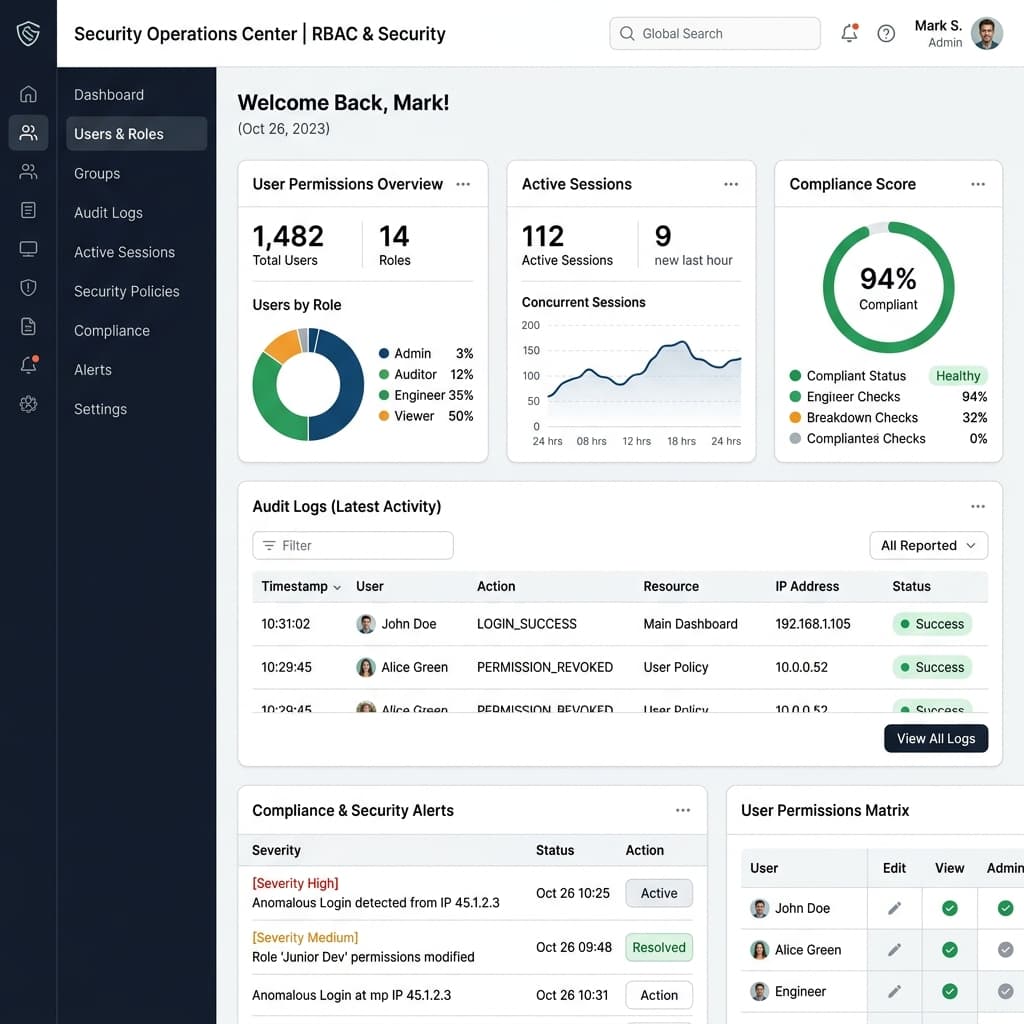
HMSCloud enforces strict Role-Based Access Control (RBAC). You have complete control over who can view, edit, or delete data, down to the level of specific buttons and reports.
How it works
A seamless, automated workflow designed for high-volume environments.
Role Definition
Admin creates roles (e.g., 'Junior Nurse', 'Senior Pharmacist').
Granular Privileges
Assign precise access rights (e.g., 'Can view EMR' but 'Cannot edit Past History').
User Assignment
New employees are assigned to their respective roles during onboarding.
Audit Logging
Every action taken by the user is permanently recorded in the immutable audit trail.
Core Capabilities
Enterprise-grade tools built into the Role-Based Access Control.
Granular Permission Engine
Over 500 individual permission toggles to customize access exactly to your needs.
Immutable Audit Trails
Track 'Who did What and When'. Essential for legal investigations and accreditations.
Session Management
Auto-logout inactive users and track active IP addresses to prevent unauthorized access.
Multi-Factor Authentication (MFA)
Enforce OTP or Authenticator app logins for high-privilege administrator accounts.
Measurable business outcomes
- Achieve 100% compliance with HIPAA, GDPR, and local healthcare data laws.
- Prevent internal fraud by restricting financial module access to authorized staff.
- Instantly revoke access for terminated employees across the entire network.
- Pass intense hospital accreditation (NABH/JCI) IT audits effortlessly.
See it in action
Schedule a 30-minute discovery call and we'll show you exactly how this can transform your workflow.
Book your Free DemoNo credit card required. Cancel anytime.
Frequently Asked Questions
Can we temporarily grant access to an external auditor?
Yes, you can create a time-bound 'Auditor' role that has read-only access and automatically expires after 7 days.
What happens if a user deletes a bill?
The system prevents hard deletions. Bills are marked as 'Cancelled' and the user's action and reason are permanently logged in the audit trail.